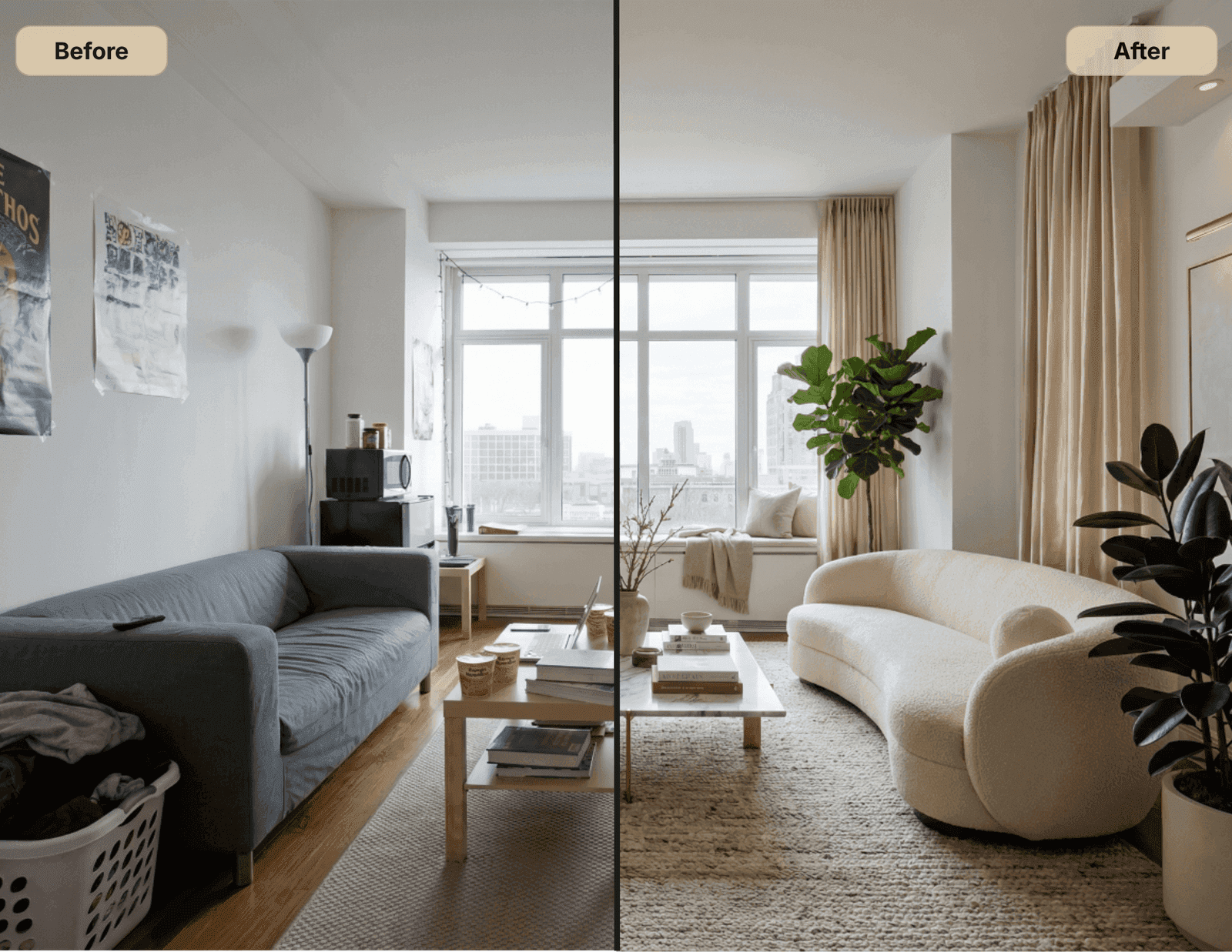
Room Edit is one of the most useful tools inside Veyah Studio because it lets you test design changes directly in your own space. You can explore a new style, swap a piece of furniture, adjust a wall color, rethink a rug, or see how a room might feel with more contrast, warmth, softness, or polish.
But here is the tiny catch, because naturally there has to be one: the better your prompt, the better your result.
Room Edit is powerful, but it is not psychic. It works best when you give it clear direction, specific design goals, and enough context to understand what should change and what should stay the same.
Here is how to write a better Room Edit prompt so your results look more intentional, more complete, and less like your living room had an identity crisis.
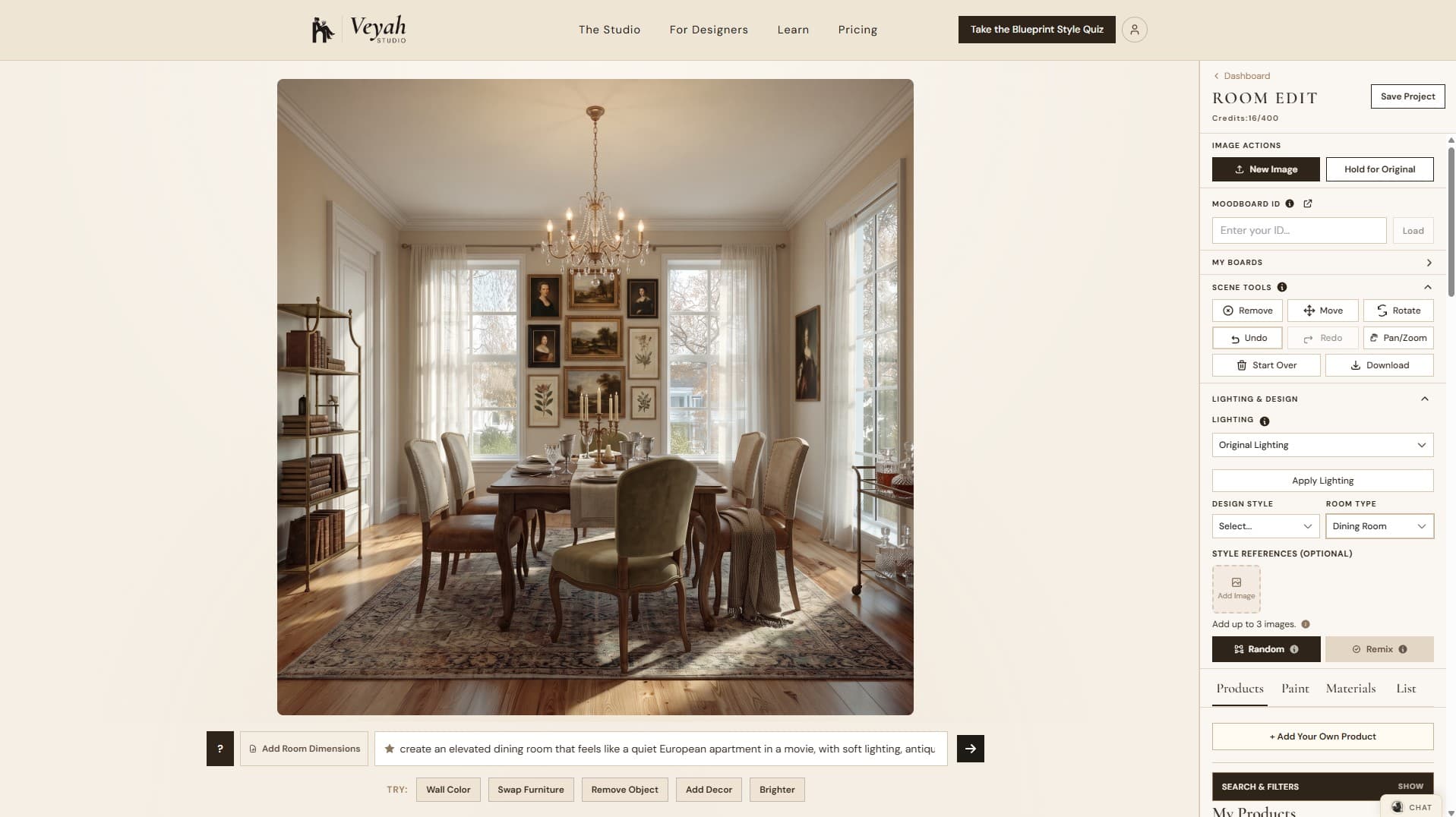
Not Sure What to Change? Start With What’s Off
Sometimes writing a better prompt isn’t the problem.
It’s figuring out what you should be asking for in the first place.
You know the room feels unfinished or slightly wrong, but you don’t know whether the issue is the layout, rug, lighting, or something else entirely.
Before guessing, open What’s Off in Room Edit.
It analyzes your room photo and highlights potential design issues worth addressing. From there, you can choose a specific change to test.
For example, instead of entering:
"Make my living room look better."
You might discover that the seating arrangement lacks a clear relationship to the rug.
Now you have a more useful direction:
"Replace the existing rug with a larger textured rug that connects the sofa and chairs. Keep the furniture, wall color, and lighting unchanged."
That’s a much more focused design experiment.
And if the first edit doesn’t solve the problem, you can refine the direction without changing everything else.
What’s Off helps you figure out what to address. A good Room Edit prompt helps you test how to address it.
Start With What You Want to Change
A good Room Edit prompt should begin with the main thing you want updated. Instead of writing "Make this room better," try "Update this living room with a warmer, more polished traditional style while keeping the sofa, fireplace, and layout the same."
That one sentence gives Room Edit a clear assignment. It knows the room type, the design direction, and what elements should stay. A strong prompt usually answers three basic questions:
- —What room is this?
- —What do you want changed?
- —What should stay the same?
For example: "Refresh this bedroom with a calm, layered neutral look. Keep the bed, nightstands, and windows in the same place, but update the bedding, rug, lighting, and wall art." Simple. Specific. Less design chaos. A miracle, really.
Want a Full Room Design? Say "Decorate the Entire Room"
If you want Room Edit to fully reimagine the space, include the phrase "decorate the entire room." This tells the tool that you are not just asking for one small change. You want a more complete design direction across the full space, including furniture, decor, lighting, rugs, art, styling, and overall mood.
For example: "Decorate the entire room in a Warm Modernist style. Keep the windows, flooring, fireplace, and room layout the same, but update the furniture, rug, lighting, art, pillows, and accessories. Use warm neutrals, natural wood, soft black accents, and layered textures."
This is especially helpful when your room feels unfinished, mismatched, or like it was assembled by six different versions of you over a three-year period. No judgment. Homes are just museums of past decisions.
Be Clear About the Style Direction
Style words matter. "Modern" can mean sleek and minimal, warm and organic, or cold enough to feel like a luxury dentist's office. The more specific you are, the better.
Instead of "make it modern," try "make this room Warm Modernist, with clean lines, soft neutrals, natural wood, linen textures, and minimal black accents." Or "give this room a New Traditionalist style with tailored upholstery, warm whites, brass accents, classic millwork, and updated traditional decor."
Helpful style direction can include:
- —Color palette
- —Materials
- —Mood
- —Furniture style
- —Level of formality
- —Design references
For example: "Create a Casual Luxe living room with a soft neutral palette, layered textures, a larger rug, plush seating, warm wood, marble accents, and polished lighting. The room should feel elevated but still comfortable." That gives Room Edit a design lane. Without that, it may swerve across four lanes of Pinterest traffic.
Tell the AI What You Like
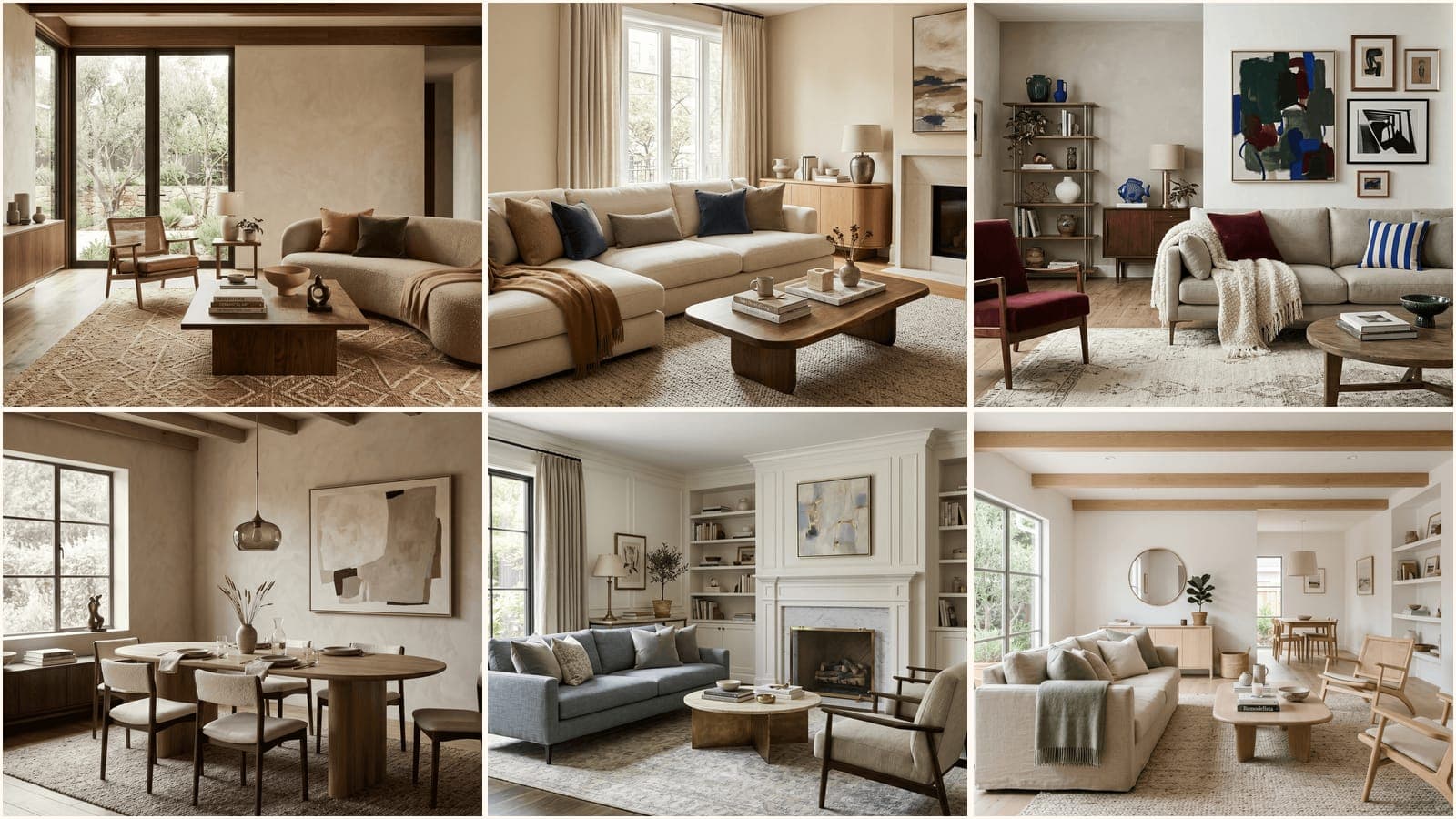
Your prompt does not have to sound technical. You can simply tell Room Edit what you like, what you are drawn to, or how you want the room to feel. You can mention a favorite design style, mood, color palette, material, designer, brand, hotel, restaurant, vacation spot, movie, or show. A reference like "cozy boutique hotel," "Nancy Meyers kitchen," "quiet European apartment," or "collected but clean" can be surprisingly useful.
For example: "I want this room to feel like a cozy boutique hotel, with warm lighting, layered bedding, soft neutrals, natural wood, and a little bit of vintage character." Or "Decorate the entire room with a Nancy Meyers-inspired feeling. Make it layered, warm, classic, comfortable, and lived-in, but still polished."
Or "I like the look of Amber Interiors, Jake Arnold, and Studio McGee, but I want the room to feel more personal and less showroom-perfect." Or "Make this room feel like a quiet European apartment in a movie, with soft lighting, antique-inspired furniture, layered textiles, framed art, and warm neutral walls."
These kinds of references help Room Edit understand the vibe faster. Because yes, apparently your favorite movie kitchen and your obsession with one very specific linen sofa can be useful design data. Finally, a practical use for all that taste.
Say What Should Stay the Same
This is one of the most important parts of a good prompt. If there are things you do not want changed, say so clearly. Room Edit needs to know what is locked in.
For example: "Keep the sofa, windows, fireplace, and flooring the same." Or "Do not change the architecture, wall openings, ceiling, or window placement."
This is especially helpful if you are testing smaller updates, like a new rug or paint color. If you only want one thing changed, say that. Example: "Change only the wall color to a soft warm greige. Keep all furniture, flooring, windows, lighting, and decor exactly the same." The word "only" is your tiny little design bodyguard.
Use Specific Design Requests
The more specific your prompt, the easier it is to get a useful result. Instead of "make it cozy," try "make this living room feel cozy by adding a larger textured rug, warmer lamps, soft pillows, layered curtains, a wood coffee table, and a few organic accessories."
Instead of "make it more expensive," try "make this room feel more elevated with tailored furniture, a larger rug, layered lighting, polished brass accents, framed art, and fewer small decorative objects."
Instead of "fix the layout," try "rearrange the furniture so the sofa faces the fireplace, add two accent chairs near the window, keep clear walking paths, and use a larger rug to anchor the seating area." Specific prompts create specific edits. Vague prompts create whatever the AI thinks "better" means, which is a brave little gamble no one asked for.
Mention the Mood You Want
A room edit is not just about objects. It is also about feeling. Do you want the room to feel calm? Collected? Moody? Airy? Tailored? More finished? Less beige? Less like you panic-bought everything during a sale? Include that mood in your prompt.
For example: "Make this room feel calm, layered, and intentional, with soft contrast and warm natural materials." Or "Create a moodier version of this space with deeper wall color, richer textiles, sculptural lighting, and a more dramatic rug." Mood words help guide the overall result, especially when paired with clear visual details.
Add Color and Material Direction
If you care about the palette, include it. If you hate a color, include that too. For example: "Use warm whites, taupe, olive green, natural oak, aged brass, and soft black accents. Avoid bright white, gray, and cool-toned finishes." Or "Keep the palette light and neutral, but add contrast with darker wood, black metal accents, and a patterned rug."
Materials are just as useful:
- —Linen
- —Velvet
- —Oak
- —Walnut
- —Brass
- —Marble
- —Stone
- —Woven textures
- —Cane
- —Bouclé
- —Ceramic
- —Leather
Example: "Update this room with linen upholstery, a wool rug, warm wood furniture, brass lighting, and ceramic accessories." This gives Room Edit more texture to work with, literally and spiritually. Very demanding, very effective.
Ask for One Main Change at a Time
Room Edit can handle big transformations, but if you want more control, focus your prompt on one major change at a time. For example: "Change the wall color to a soft sage green while keeping everything else the same." Then, after you review that version, you can test: "Now update the rug to a larger vintage-inspired rug with muted warm tones."
This makes it easier to compare options and avoid the classic AI move of changing your sofa, your windows, your floor, and possibly your entire tax bracket.
Use "Keep," "Change," and "Do Not" Language
A strong Room Edit prompt often uses three types of instructions:
- —Keep: what should remain unchanged
- —Change: what should be updated
- —Do not: what should be avoided
Example: "Keep the existing sofa, fireplace, flooring, and windows. Change the rug to a larger patterned rug, add warmer lighting, update the pillows, and add artwork above the sofa. Do not change the wall openings, ceiling height, or furniture layout." This structure is clear and easy to follow. Apparently even robots appreciate boundaries.
Examples of Better Room Edit Prompts
If You Want a Full Room Design
"Decorate the entire room in a Warm Modernist style. Keep the windows, flooring, fireplace, and room layout the same. Update the furniture, rug, lighting, art, pillows, and accessories with warm neutrals, natural wood, soft black accents, and layered textures. The room should feel calm, modern, and inviting."
If You Want a Style Refresh
"Refresh this living room in a Warm Modernist style. Keep the sofa, fireplace, windows, and flooring the same. Update the rug, coffee table, pillows, lighting, and artwork with warm neutrals, natural wood, soft black accents, and layered textures. The room should feel calm, modern, and inviting."
If You Want to Test a Wall Color
"Change only the wall color to a soft warm greige. Keep all furniture, lighting, flooring, windows, art, and decor exactly the same. The room should still feel bright, warm, and neutral."
If You Want a Moodier Room
"Create a moodier version of this bedroom with a deeper wall color, richer bedding, darker wood tones, layered lighting, and more contrast. Keep the bed, windows, flooring, and room layout the same. The final look should feel cozy, elevated, and dramatic without feeling too dark."
If You Want a Better Layout
"Rearrange this living room so the seating faces the fireplace. Keep the fireplace, windows, flooring, and built-ins the same. Rotate the sofa to face the fireplace, add two accent chairs near the opposite side, use a larger rug to connect the seating area, and keep clear walking paths through the room."
If You Want a More Finished Look
"Make this room feel more finished and intentional. Keep the main furniture and layout the same, but add a larger rug, layered pillows, curtains, table lamps, wall art, and a few warm decorative accessories. Use a soft neutral palette with warm wood, brass, and subtle contrast."
If You Want to Swap One Piece
"Replace the current coffee table with a larger rectangular wood coffee table that fits the seating area better. Keep everything else in the room exactly the same, including the sofa, rug, chairs, lighting, windows, and wall color."
If You Want to Use a Personal Reference
"Decorate the entire room with a cozy, collected feeling inspired by boutique hotels and classic movie interiors. Use warm lighting, layered textiles, vintage-inspired furniture, framed art, and natural wood. Keep the windows, flooring, and main layout the same."
A Simple Prompt Formula
When in doubt, use this formula: "Update this [room type] in a [design style, mood, or reference]. Keep [items to keep]. Change [items to update]. Use [colors/materials]. Do not change [things to avoid changing]."
Example: "Update this dining room in a New Traditionalist style. Keep the table, windows, flooring, and chandelier. Change the chairs, rug, wall color, and artwork. Use warm whites, muted blue, natural wood, brass, and tailored upholstery. Do not change the architecture or window placement."
For a full design, use: "Decorate the entire room in a [style, mood, or reference]. Keep [items to keep]. Update [furniture, decor, lighting, rug, art, and accessories]. Use [colors/materials]. Do not change [things to avoid changing]."
Example: "Decorate the entire room in a cozy, layered, Nancy Meyers-inspired style. Keep the windows, flooring, and fireplace the same. Update the furniture, rug, lighting, art, pillows, curtains, and accessories. Use warm whites, natural wood, soft blue, brass, linen, and vintage-inspired details. Do not change the architecture or room layout." That is it. No dramatic speech. No design séance required.
Final Tip
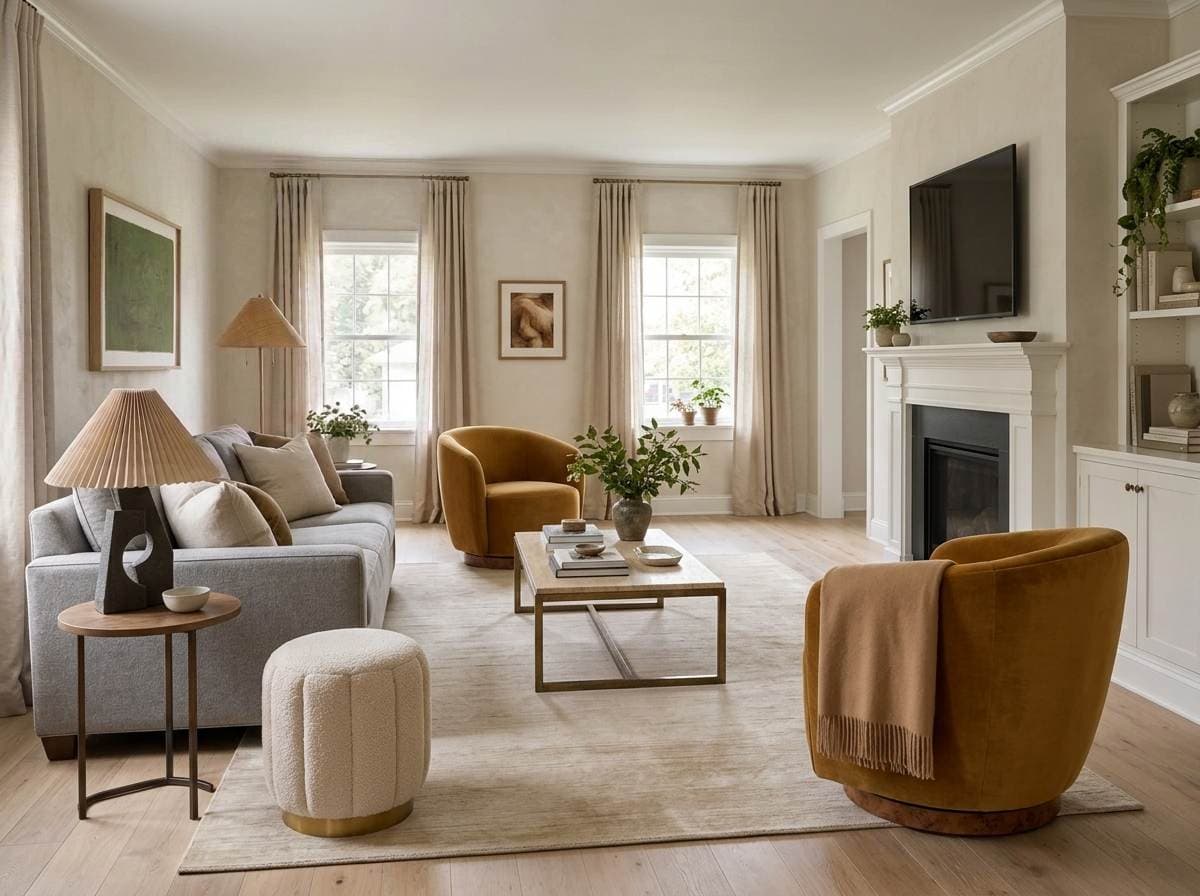
The best Room Edit prompts are clear, specific, and realistic. Tell the tool what you want, what you love, what you want to avoid, and what needs to stay. You can be practical, emotional, specific, or reference-driven. "I want this to feel like a calm boutique hotel" is a perfectly useful design direction. So is "I love the feeling of a Nancy Meyers kitchen but want it less cottage and more polished."
Think of it like giving direction to a designer who can work very quickly but still needs a brief. Better prompt in, better room edit out.
Tragic that the robots need instructions. Convenient that the instructions actually work.
.png&w=1920&q=75&dpl=dpl_HsFNKev5vESE4Fpfsy7iSSi9PpFZ)